Lenovo LOQ 27Q-10 Monitor for Gaming, Streaming and Everyday Productivity
29th October, 2026
Choosing the right monitor can make a significant difference to your gaming experience, streaming setup, and everyday workflow. Whether you are a competitive gamer, a content creator, a student, or a professional working from home, a good monitor should deliver sharp visuals, smooth performance, accurate colors, and comfortable viewing.
The Lenovo LOQ 27Q-10 Gaming Monitor is designed to meet these needs with a 27-inch QHD display, a 180Hz refresh rate, a Fast IPS panel, and support for adaptive synchronization technologies. Its combination of high resolution, responsive performance, and versatile connectivity makes it an interesting option for users who want more than a standard office monitor.
For users searching for the Lenovo LOQ 27Q-10 price in Nepal, this monitor offers a combination of gaming-focused features and practical everyday functionality. It can serve as the centerpiece of a desktop gaming setup while also supporting office work, online classes, entertainment, and content creation.
In this guide, we will explore the monitor's specifications, gaming performance, streaming capabilities, productivity features, connectivity, and buying considerations for customers in Nepal.
Lenovo LOQ 27Q-10 Price in Nepal
The Lenovo LOQ 27Q-10 is a 27-inch QHD gaming monitor designed for users who want a sharper display and a faster refresh rate than many standard monitors.
As a current online market reference, Lenovo LOQ 27Q-10 price NPR 31,999 at Zolpa Store. Actual prices may vary depending on stock, warranty, promotional offers, and retailer policies.
Before purchasing, customers should confirm the latest price, availability, and warranty details directly with their preferred seller.
Lenovo LOQ 27Q-10 Monitor: Key Specifications
The Lenovo LOQ 27Q-10 combines a high-resolution display with gaming-focused specifications. Here is an overview of its key features.
A 27-Inch QHD Display for Sharper Visuals
One of the biggest advantages of the Lenovo LOQ 27Q-10 is its 27-inch QHD display. With a resolution of 2560 × 1440 pixels, it provides more detail than a standard Full HD display at the same screen size.
This higher resolution is useful for gaming, video playback, photo editing, spreadsheets, and multitasking. Text can appear sharper, images can show finer details, and large documents are easier to navigate.
The 27-inch screen also provides a comfortable viewing area for users who spend several hours in front of their computers. Gamers can enjoy more detailed environments, while professionals can keep multiple application windows open without constantly switching between them.
For example, a student can use one side of the screen for research and the other for notes. A video editor can keep the preview window visible alongside the editing timeline. Office users can work with spreadsheets while keeping email or communication tools accessible.
For the best experience, make sure your computer supports QHD output at the refresh rate you intend to use.
Smooth Gaming with a 180Hz Refresh Rate
The Lenovo LOQ 27Q-10 features a refresh rate of up to 180Hz, making it suitable for players who value smooth movement and responsive gameplay.
A traditional 60Hz monitor refreshes the image 60 times per second. A 180Hz monitor can refresh up to 180 times per second when the connected device and settings support it.
This higher refresh rate can make fast-moving scenes appear smoother, particularly in competitive games where tracking opponents and reacting quickly matter.
The monitor is suitable for games such as Valorant, Counter-Strike 2, Fortnite, racing titles, and other fast-paced games. However, actual gameplay performance depends on your computer's graphics hardware, game settings, and ability to produce high frame rates.
For example, pairing this monitor with a capable gaming desktop or a suitable gaming laptop can help you take advantage of the faster display. A lower-powered computer can still use the monitor, but it may not deliver 180 frames per second in demanding games.
If you are building a gaming setup in Nepal, remember to consider the cost of your graphics card, processor, and other components alongside the monitor.
Fast Response for Competitive Gaming
Refresh rate is only one part of the gaming experience. Response time also matters because it affects how quickly pixels transition between colors.
The Lenovo LOQ 27Q-10 advertises a response time of up to 0.5ms MPRT, with selectable response-time settings including 1ms GtG. These measurements use different methods and should not be treated as identical.
A fast response setting can help reduce perceived motion blur in supported conditions. This is especially useful in fast-paced shooters, action games, and racing games, where quick movements can make details harder to track.
The actual results depend on the selected monitor mode, the game, and the characteristics of the panel. The lowest advertised response-time figure does not automatically guarantee the best image quality in every setting.
For competitive gaming, users should experiment with the monitor's response-time options and select a mode that balances motion clarity with acceptable visual artifacts.
AMD FreeSync and VESA Adaptive Sync
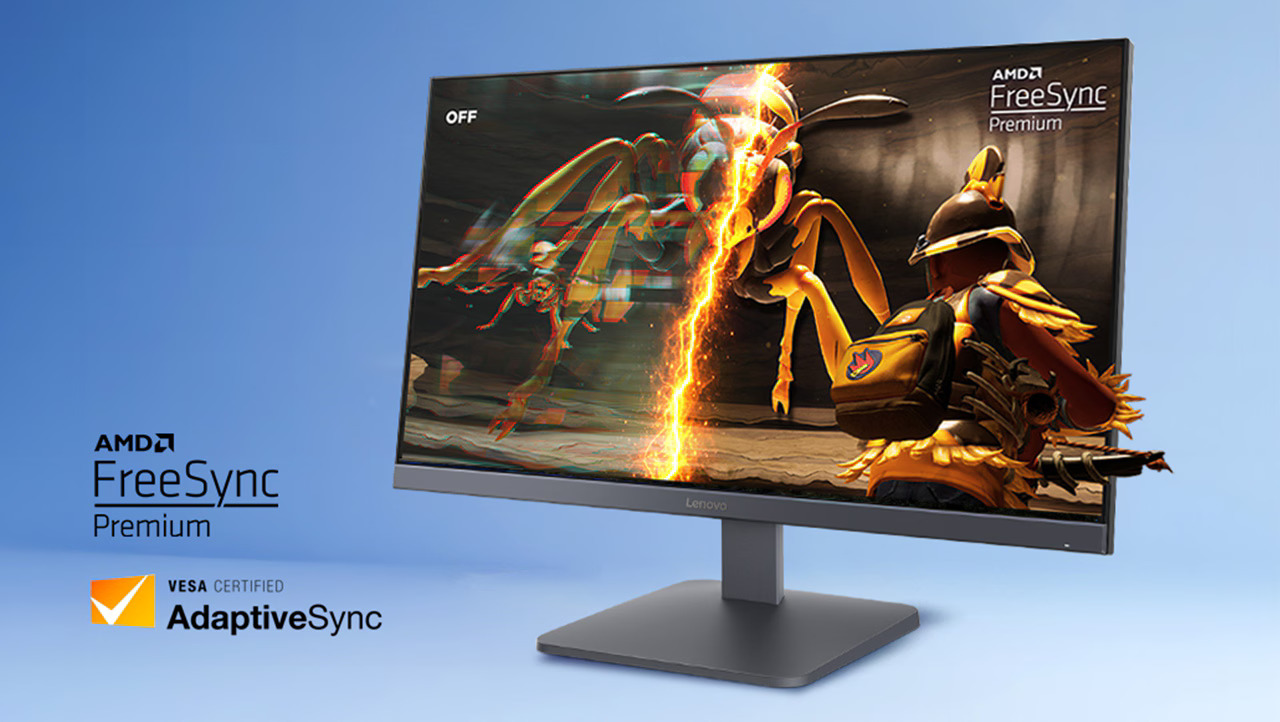
Screen tearing can occur when a display refreshes while the graphics card is delivering frames at a different rate. This can create visible horizontal breaks in an image. Stuttering may also occur when frame delivery is inconsistent.
The Lenovo LOQ 27Q-10 supports AMD FreeSync and VESA Adaptive Sync, which can help synchronize the display's refresh behavior with compatible graphics hardware.
These technologies can improve perceived smoothness when the frame rate changes during gameplay. They are useful in games where performance fluctuates between lighter scenes and graphically demanding environments.
For the best results, check the graphics card's compatibility, use a supported connection, and enable the appropriate synchronization setting in the graphics software and monitor menu.
Adaptive synchronization does not increase your computer's actual gaming performance. Instead, it helps the monitor display frames more smoothly when supported conditions are met.
Is the Lenovo LOQ 27Q-10 Good for Streaming?
A good monitor is an important part of a streaming setup. Streamers need enough screen space to play games, monitor live chat, manage recording software, and check their streaming dashboard.
The Lenovo LOQ 27Q-10's 27-inch QHD screen provides a useful workspace for these tasks. Its high refresh rate is beneficial when gaming while monitoring other applications, and its resolution offers additional desktop space compared with Full HD.
For example, a streamer could use the monitor to play a game while keeping OBS Studio, chat, or performance monitoring tools accessible. Depending on the game and software layout, some applications may still need to be minimized or moved to another display.
The monitor does not have a built-in webcam or microphone, so users who want to appear on camera or communicate with viewers will need separate equipment.
A practical streaming setup could include:
- A gaming PC or laptop with sufficient processing and graphics performance.
- A dedicated webcam for face-camera streaming.
- A microphone or gaming headset for clear audio.
- A stable internet connection suitable for live broadcasting.
- Streaming software such as OBS Studio.
- A reliable keyboard, mouse, and optional secondary display.
The monitor supports the visual side of streaming, but your computer, internet connection, microphone, and encoding settings remain important factors in stream quality.
Color Quality for Content Creation
The Lenovo LOQ 27Q-10 covers 99% of the sRGB color space according to its published specifications. This makes it a useful option for general photo editing, web graphics, social media content, and other tasks that use the sRGB color space.
Accurate and consistent color representation is important when editing images or preparing graphics for websites. The IPS panel also provides wide viewing angles, helping colors remain relatively consistent when viewed from different positions.
The monitor supports HDR10 input, which can help compatible content display an HDR image signal. However, HDR10 compliance alone does not guarantee the impact of a premium HDR display. Brightness, contrast, local dimming, and other panel characteristics affect the final result.
For casual content creation, the LOQ 27Q-10 offers a useful combination of resolution, screen size, and color coverage. For professional color grading or print production, users should also consider calibration, color accuracy measurements, and the specific color space required by their workflow.
Everyday Productivity for Students and Professionals
Gaming features are useful, but a monitor should also work well for daily tasks. The Lenovo LOQ 27Q-10's QHD resolution and 27-inch screen make it suitable for many productivity-focused activities.
Office work and spreadsheets
The additional screen space is helpful when working with large Excel sheets, accounting software, reports, and business dashboards. Users can view more rows and columns at once, depending on their operating system's scaling settings.
Online classes and research
Students can use the monitor for online lectures, research, writing assignments, and presentations. A larger display makes it easier to keep reference materials visible while writing or studying.
Programming and web development
Developers can benefit from a spacious desktop for code editors, browser previews, terminal windows, and documentation. The higher resolution can help display more lines of code while keeping text readable.
Remote work and multitasking
For remote workers, the screen can accommodate communication applications, documents, and project management tools. The monitor is also suitable for routine browsing, video playback, and everyday computer use.
Because it uses an IPS panel with an anti-glare surface, the monitor is designed to provide broad viewing angles and reduce distracting reflections. Proper room lighting and viewing distance are still important for comfortable use.
Connectivity for PCs, Laptops, and Consoles
Connectivity is another important consideration when choosing a gaming monitor.
The Lenovo LOQ 27Q-10 includes two HDMI 2.1 TMDS ports and one DisplayPort 1.4 connection. These options allow users to connect compatible desktop computers, laptops, and gaming consoles.
The DisplayPort connection supports QHD at up to 180Hz according to Lenovo's specifications. HDMI supports QHD at up to 144Hz for the referenced model, so the maximum refresh rate depends on the port used.
The monitor can also be used with compatible PlayStation and Xbox consoles, although supported resolution and refresh rate depend on the specific console, game, connection, and display mode.
Before connecting your devices, check the output capabilities of your graphics card or laptop and use an appropriate cable. The monitor does not include USB-C video input, so laptops that rely on USB-C may need a compatible video adapter or dock.
Design, Comfort, and Desk Setup
The Lenovo LOQ 27Q-10 features a flat display with narrow side bezels and a Lunar Grey finish. Its relatively slim borders suit modern desktop setups and can be useful when placing two monitors side by side.
The supplied stand supports tilt adjustment, allowing users to angle the screen for a more comfortable viewing position. It does not provide the same range of height, swivel, and pivot adjustment found on some premium ergonomic monitors.
For more flexible positioning, the monitor supports a 100 × 100 mm VESA mount. A compatible monitor arm or wall mount can help users adjust screen height and reclaim desk space.
The monitor weighs approximately 4.5 kg with its stand, making it manageable for many desk setups, although the desk and mount should be suitable for its weight.
For longer gaming or working sessions, position the top of the display around eye level, maintain a comfortable viewing distance, and take regular breaks.
Power Consumption and Practical Use in Nepal
Power efficiency can matter for users who keep their computers running for long periods. Lenovo lists typical power consumption of approximately 21.5W and maximum consumption of 35W for this monitor.
Actual consumption varies with brightness, settings, usage, and operating conditions. The monitor itself is relatively modest in power requirements compared with many high-performance desktop components.
For Nepalese users, the monitor's 100–240V AC power input is suitable for the supported local mains voltage range. Using a properly grounded outlet and a quality surge protector is sensible, particularly where power fluctuations occur.
A surge protector can help protect connected equipment from certain electrical surges, but it does not eliminate every electrical risk.
Who Should Buy the Lenovo LOQ 27Q-10?
The Lenovo LOQ 27Q-10 may be a good fit for several types of users.
- Competitive and casual gamers: The 180Hz refresh rate, QHD resolution, and adaptive synchronization features make it suitable for a broad range of gaming genres.
- Streamers: The large QHD screen provides room for games, streaming controls, and chat applications. Additional audio and camera equipment will be required.
- Students: The screen is useful for research, online classes, programming, assignments, and entertainment.
- Office professionals: The combination of resolution and screen size makes multitasking, document editing, and spreadsheet work more convenient.
- Content creators: The 99% sRGB coverage can support general image editing and web content creation, although specialized professional workflows may require a calibrated reference display.
- The monitor may be less suitable for buyers who need built-in speakers, a webcam, USB-C connectivity, or a fully adjustable ergonomic stand. Those requirements should be considered before making a purchase.
Where to Buy the Lenovo LOQ 27Q-10 Monitor in Nepal
When buying a gaming monitor in Nepal, customers should compare the final price, warranty coverage, product authenticity, return policy, and delivery options rather than focusing only on the advertised discount.
Zolpa Store provides an online shopping platform for customers looking for laptops, monitors, and other technology products. Customers can explore available products online and check the relevant product page for current pricing, stock, and purchase information.
Before ordering the Lenovo LOQ 27Q-10, confirm that the exact model is available and verify its specifications and warranty terms. Delivery availability and charges may vary according to the destination.
For a gaming setup, you may also want to explore compatible gaming laptops, desktop components, keyboards, microphone, headphone, and other accessories available through the store.
Conclusion: Is the Lenovo LOQ 27Q-10 Worth Considering?
The Lenovo LOQ 27Q-10 combines a 27-inch QHD IPS display, a 180Hz refresh rate, fast response-time settings, adaptive synchronization, and broad connectivity. These features make it a versatile option for gamers who also need a display for streaming, studying, office work, and everyday entertainment.
Its QHD resolution offers a useful balance between image detail and performance demands, while 99% sRGB coverage makes it suitable for general color-focused tasks. However, users should remember that the monitor does not include built-in speakers or a webcam, and its tilt-only stand may not suit every desk arrangement.
For Nepalese buyers, the final decision should depend on the confirmed retail price, warranty, available stock, and the capabilities of the computer being connected.
If you are planning a gaming or productivity setup, compare your needs and budget before purchasing. The Lenovo LOQ 27Q-10 is worth considering if you want one monitor that can support both fast-paced gaming and everyday computing.
Frequently Asked Questions (FAQs)
What is the Lenovo LOQ 27Q-10 price in Nepal?
The currently lists the Lenovo LOQ 27Q-10 at NPR 31,999 at Zolpa Store
What is the resolution of the Lenovo LOQ 27Q-10?
It features a 2560 × 1440 QHD resolution, providing more detail than Full HD at the same screen size.
What is the refresh rate of the Lenovo LOQ 27Q-10?
The monitor supports a refresh rate of up to 180Hz through a supported connection and configuration. The maximum supported rate can vary by port and device.
Is the Lenovo LOQ 27Q-10 good for gaming?
Yes. Its QHD display, 180Hz refresh rate, fast response-time settings, AMD FreeSync, and VESA Adaptive Sync make it suitable for competitive and casual gaming.
Is the Lenovo LOQ 27Q-10 suitable for streaming?
Yes. Its large QHD screen is useful for gaming, monitoring chat, and managing streaming applications. A separate webcam and microphone are needed because the monitor does not include them.
Can I use the Lenovo LOQ 27Q-10 for office work?
Yes. Its 27-inch screen and QHD resolution provide space for documents, spreadsheets, presentations, programming, and multitasking.
Does the Lenovo LOQ 27Q-10 have built-in speakers?
No. The monitor does not have built-in speakers, so you should use external speakers, headphones, or a headset for audio.
Which ports are available on the Lenovo LOQ 27Q-10?
It has two HDMI 2.1 TMDS ports and one DisplayPort 1.4 connection. It does not provide USB-C video input.
Does the Lenovo LOQ 27Q-10 support HDR?
Yes. It is HDR10 compliant. The overall HDR experience depends on the display's brightness and contrast capabilities as well as the content being played.
Related Blogs

Best Laptop for Accounting in Nepal 2026: Top Picks for Accountants and Students
15th October, 2026

Best Laptop for Students in Nepal 2026: Top Picks for Every Budget
14th October, 2026

Best Laptop for Video Editing in Nepal 2026: Top Picks for YouTubers, Creators and Professionals
12th October, 2026

Best Laptop for Programming in Nepal 2026: Top Picks for Students and Developers
11th October, 2026

Dell vs HP Laptop: Which Is Better to Buy in Nepal?
10th October, 2026

MacBook Air vs Windows Laptop: Which Is Better to Buy in Nepal?
9th October, 2026

ASUS TUF Gaming vs Lenovo LOQ: Performance, Price and Features Compared
9th October, 2026

Lenovo LOQ vs Legion: Which Gaming Laptop Is Better in Nepal?
8th October, 2026

iPhone 18 Pro vs 18 Pro Max: Which iPhone Is Better for You?
1st October, 2026